
April 1 may pass with its usual pranks and false alerts, but the real threat lingers far beyond April Fools' Day.
Sadly, scammers don't take a day off.
Springtime marks a peak period for cybercriminals—not due to carelessness, but because people are preoccupied, moving quickly, and slightly distracted. This environment lets nearly convincing scams slip unnoticed, disguised as routine work activities until it's too late.
Here are three cunning scams active right now, targeting vigilant, hardworking employees just trying to get through their tasks.
As you read, consider this: Would everyone on my team pause long enough to catch these threats?
Scam #1: The Phantom Toll or Parking Fee Text
An employee receives a text:
"You owe $6.99 in unpaid tolls. Pay within 12 hours to avoid penalties."
The message uses a legitimate toll system name—E-ZPass, SunPass, FasTrak—matching the user's state. The small charge feels routine, so between meetings, they tap the link, pay, and move on.
But the link is fraudulent.
In 2024, the FBI logged over 60,000 complaints about fake toll payment texts, with a staggering 900% increase in 2025. These scams use more than 60,000 counterfeit websites impersonating official toll systems, showing how lucrative this fraud has become. Disturbingly, even residents in states without toll roads have been targeted.
Why it succeeds: A small fee doesn't raise suspicion, and recent toll or parking experiences make the message feel legitimate.
The best defense: Authentic toll authorities never request immediate payment via text. Teams should never pay through message links. Employees must manually visit official websites or apps to verify charges and avoid responding to texts, even with commands like "STOP," as replies confirm active numbers and invite more scams.
Prioritize process over convenience for protection.
Scam #2: "Your File Is Ready" Email
This scam mimics everyday work communications flawlessly.
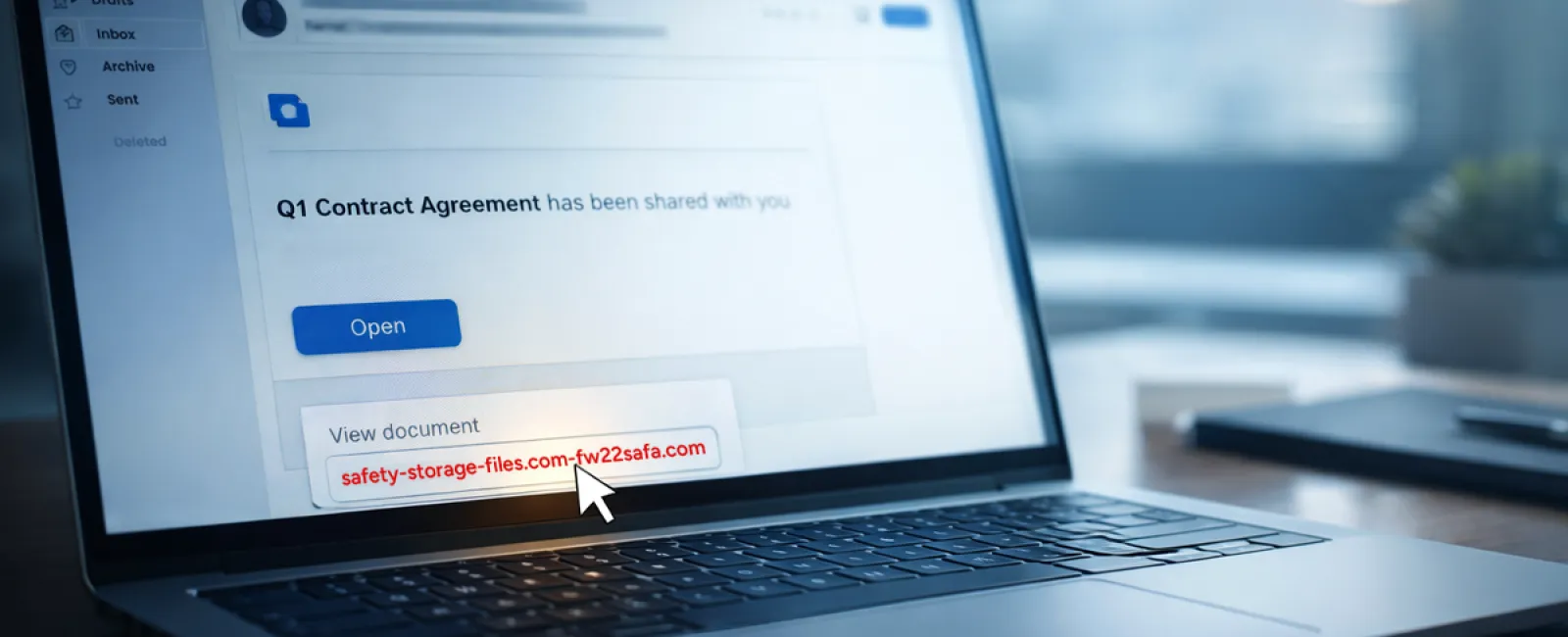
Employees receive an email notifying them that a document has been shared—often a DocuSign contract, OneDrive spreadsheet, or Google Drive file.
The sender's name appears legitimate, and the formatting matches usual file-sharing alerts.
They click the link, prompted to log in, and enter their credentials.
Suddenly, attackers gain access to the company's cloud systems.
These phishing campaigns soared 67% in 2025, exploiting trusted platforms like Google Drive, DocuSign, Microsoft, and Salesforce. Phishing using Google Slides links jumped over 200% in just six months.
Alarmingly, employees are seven times likelier to click malicious links from OneDrive or SharePoint notifications, fooled because these alerts perfectly mimic genuine messages.
Even more sophisticated, criminals now create malicious files within compromised accounts, sending notifications from legitimate Google or Microsoft servers — bypassing spam filters.
Effective defense: Train employees to never click unexpected file shares. Instead, they should log into the platform directly to verify. Businesses can also reduce risk by restricting external file-sharing and enabling alerts for suspicious logins—quick IT configurations that make a big difference.
Simple caution, powerful protection.
Scam #3: Flawlessly Written Phishing Emails
Gone are the days of badly written phishing emails. Today, attackers harness AI to craft messages that blend seamlessly into legitimate workflows.
A 2025 study showed that AI-generated phishing emails had a 54% click rate — over four times higher than those written by humans.
These emails cite real companies, job titles, and authentic workflows, harvested in moments from LinkedIn and company sites.
Targeted attacks hit specific departments: HR and payroll receive fake employee verifications, finance teams get vendor payment change requests, with vendor impersonation emails engaging 72% of employees — 90% higher than other phishing types. The messages are calm, professional, urgent — just a typical day in the inbox.
Prevention tip: Always verify requests involving credentials, payments, or sensitive data through a second method — phone call, chat, or in-person confirmation. Employees should hover over sender addresses to check domains, and treat any urgent email requests as a red flag.
True cybersecurity empowers, not panics.
The Core Issue
All these scams exploit familiarity, authority, timing, and the rush to get things done quickly.
The real vulnerability isn't careless staff — it's systems that assume everyone will consistently slow down and double-check decisions under pressure.
If one hurried click can compromise your operation, that's not a people problem—it's a process flaw.
The good news? Processes can be strengthened and fixed.
How We Can Support You
Most business leaders want to avoid making cybersecurity another overwhelming task or becoming the sole guardian against risky clicks.
They want confidence that their business is secure, without extra stress.
If you're worried about your team's exposure—or know someone who should be—let's talk.
Book a clear, no-pressure discovery call to cover:
- Current cyber risks businesses like yours face
- How routine work can introduce vulnerabilities
- Practical, efficient ways to reduce risks without slowing teams
No gimmicks or fear tactics — just an honest conversation about protecting your business.
Click here or give us a call at (336) 443-0061 to schedule your free 15-Minute Discovery Call.
If this message doesn't fit your needs, please share it with someone who would benefit. Sometimes awareness is all it takes to turn a near-miss into a "nice try."


